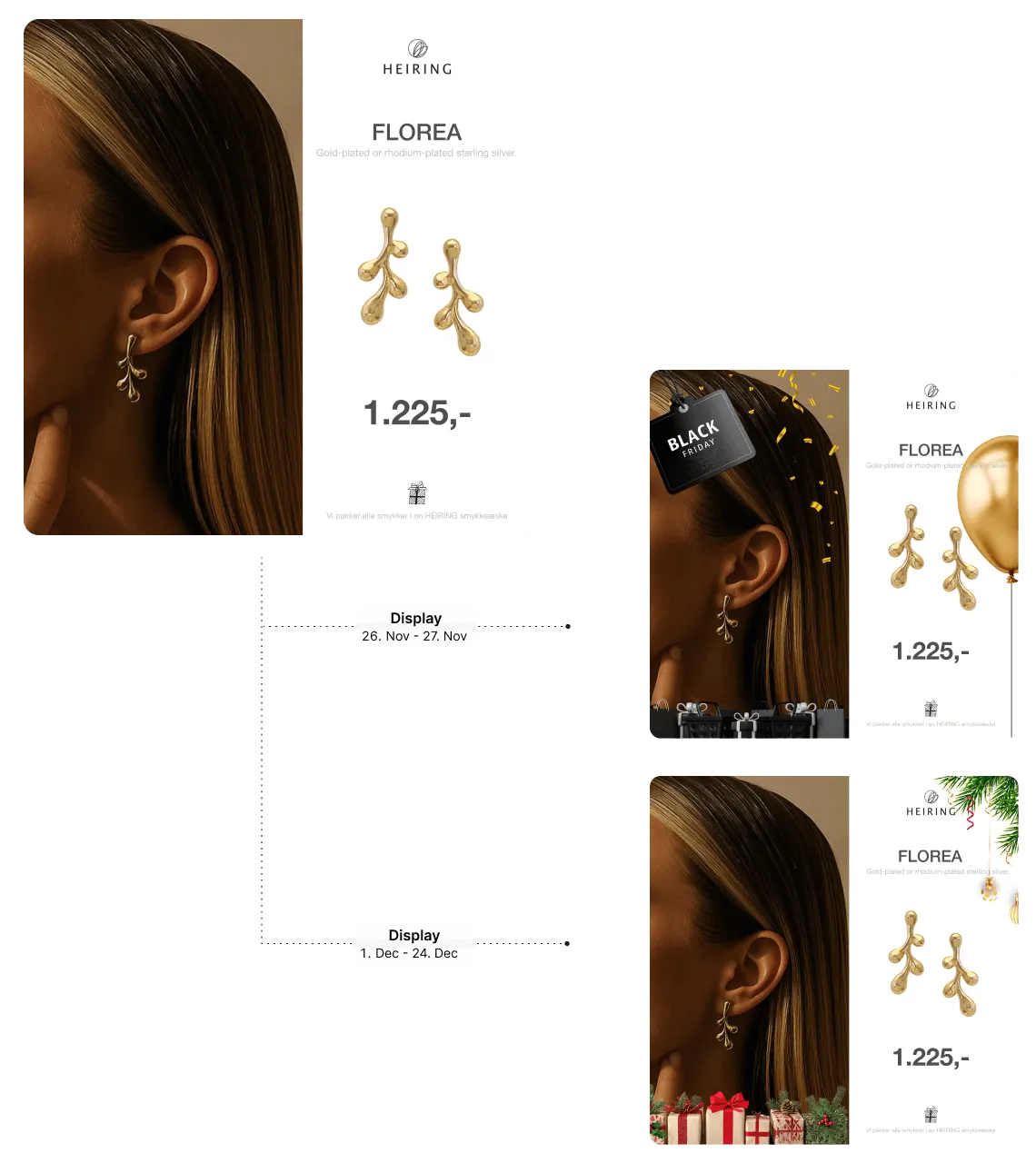
Scale Your Catalog Ads. Boost Your ROAS. Instantly.

Stop juggling feeds, creatives, and campaign rules across multiple tools. Campaign Builder transforms your product feed into performance-driven catalog ads in minutes. Automate creative generation, validate your data, and launch campaigns across multiple networks - all from one structured platform.

No credit card required • 30-day free trial • Setup in 5 mins.

HTML5

Compatible with the major channels

What Are Catalog Ads?

Catalog ads, also known as dynamic product ads (DPAs), automatically display the right product to the right person at the right time. By using your product feed - including images, prices, and availability - these ads create personalized campaigns that boost engagement and conversions.They’re essential for ecommerce growth and are widely used on Meta (Facebook & Instagram), Google Shopping, and other ad networks.

  • Mockup

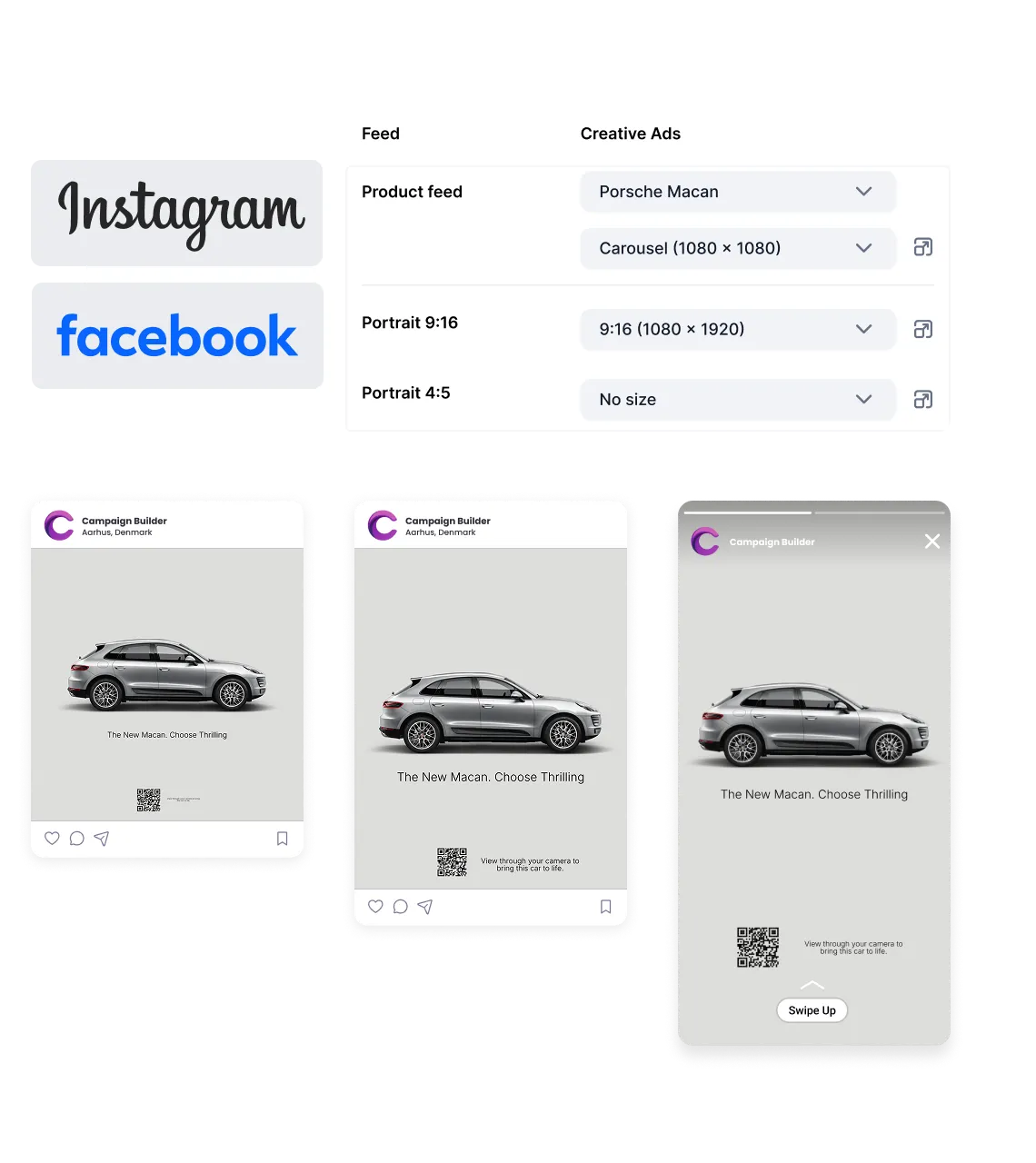
    Multi-channel DPAs

    Turn Your Basic white background Product Images into High-Converting Dynamic Product Ads

  • Mockup

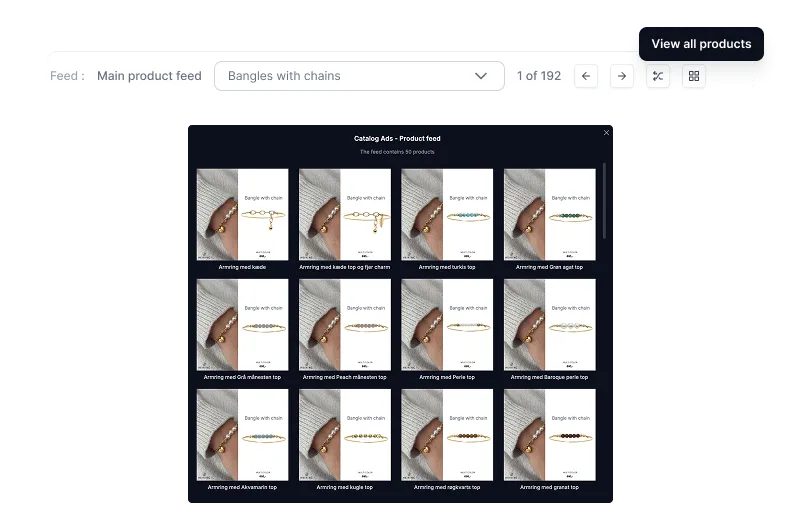
    Full SKU Design Preview

    Instantly review all SKUs inside your template to catch errors and ensure consistent, high-quality catalog ads.

  • Mockup

    Customize Your Product Feed

    Filter, edit, and map attributes to createthe perfect feed - tailored exactly to your needs.

  • Mockup

    One PlatformEvery Channel

    Push your products to Meta, Google, TikTok,and more - no juggling, all from one place.

Get started with DPA ads

Follow these five steps to transform your product catalog into high-performing dynamic ads that are generated from your product feed, automatically updated in real time, and designed to scale effortlessly as your catalog, channels, and campaigns expand.

  1. Add your product feed

    Upload or connect your product feed to make your products automatically available in your ads.

  2. Choose or build your design

    Start from a template or create your own layout to match your brand and campaign goals.

  3. Customize dynamic content

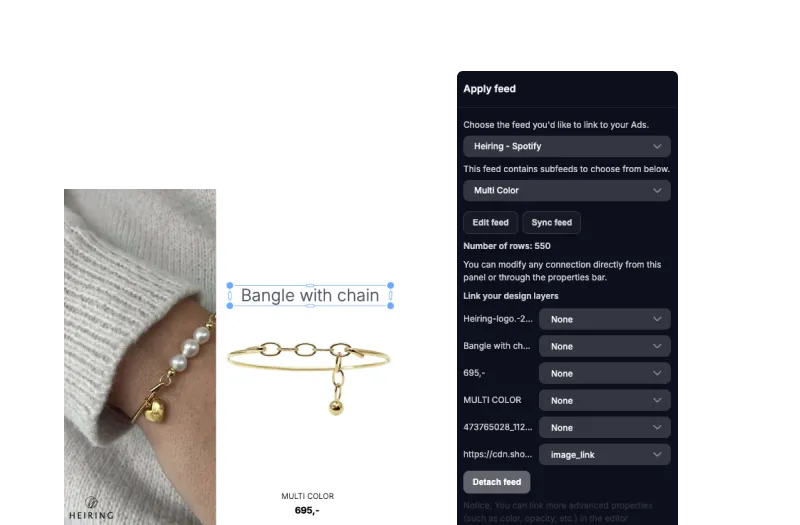
    Insert dynamic fields like product name, price, image, and discounts directly into your design.

  4. Set up rules and automation

    Define how products are shown based on data like stock levels, price changes, or performance.

  5. Launch and scale your campaigns

    Export and deploy your ads across platforms, and let them update automatically as your feed changes.

Scale product ads without scaling effort

Create dynamic ads directly from your product feed and keep them continuously updated across all channels.

  • Feed integrations

    Connect your product feed in minutes via URL, file upload, or API-always synced and up to date.

  • Dynamic templates

    Build once and automatically generate thousands of ad variations from your product data.

  • Real-time updates

    Keep ads accurate with automatic updates to prices, availability, and product details.

  • Smart rules & logic

    Control how products are shown using rules based on data like stock, pricing, or performance.

  • Creative automation

    Eliminate manual production by turning your catalog into ready-to-run ad creatives instantly.

  • AI background removal

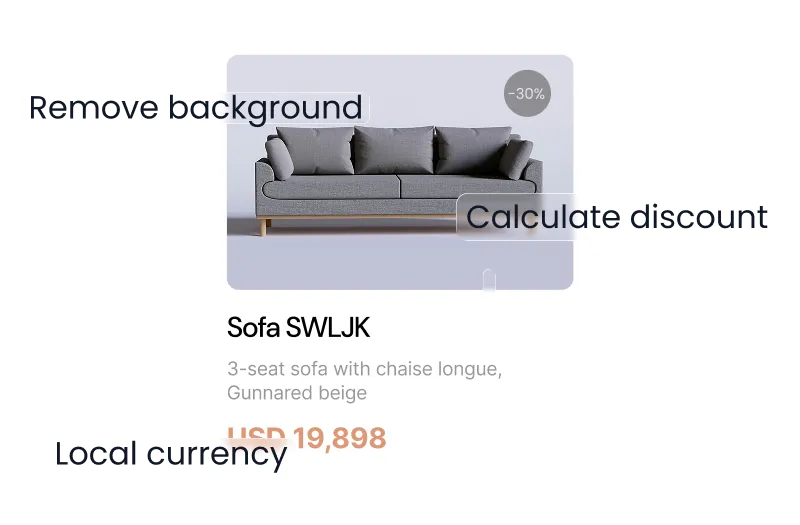
    Automatically remove product backgrounds with AI to create clean, consistent visuals at scale.

  • Built for Story & Reels formats

    Design vertical 9:16 creatives for placements like Stories, Reels, and TikTok -optimized for mobile-first performance.

  • Always-on personalization

    Deliver relevant, product-level ads tailored to each user with dynamic content.

Frequently asked questions

Everything you need to know about Catalog Ads

What are catalog ads?

Catalog ads, also called dynamic product ads, automatically generate advertising creatives from your product feed. Products, prices, and promotions are dynamically inserted into templates, showing the most relevant products to your audience.

How do dynamic catalog ads improve ROAS?

Dynamic catalog ads show the right products to the right people at the right time. When combined with validated feeds and automated creatives, they boost relevance, click-through rates, and return on ad spend.

Can I control how my products appear in ads?

Yes. Campaign Builder lets you define naming conventions, pricing rules, promotions, and language variations, giving you full control over ad appearance across campaigns.

Which ecommerce platforms are supported?

You can import feeds from all major ecommerce platforms, feed tools, direct URLs, and spreadsheets like Google Sheets.

Can I change my catalog ad design directly in Meta Ads Manager?

Yes. With the free Campaign Builder Chrome Extension, you can switch between your Campaign Builder design variants without leaving Meta Ads Manager. Simply install the extension, open your Meta catalog campaign, and choose the design variant you want to use - whether it's for Black Friday, Christmas, Summer Sales, or any other campaign. It saves time, simplifies campaign management, and lets you update your catalog ads without switching between platforms.

Download the free Chrome Extension: https://chromewebstore.google.com/detail/campaign-builder/dbhjppmeeapdaddfofhikpnnaboippcd

Create More Catalog Ads. In Less Time

Stop Managing Feeds, Creatives, and Campaigns Separately

Unify feed validation, creative automation, and multi-network publishing in one performance engine.